Controlling Hugging Face LeRobot SO101 arms over AWS IoT Core using a Seeed Studio XIAO ESP32C3

· One min read
Chiwai Chan
Tinkerer

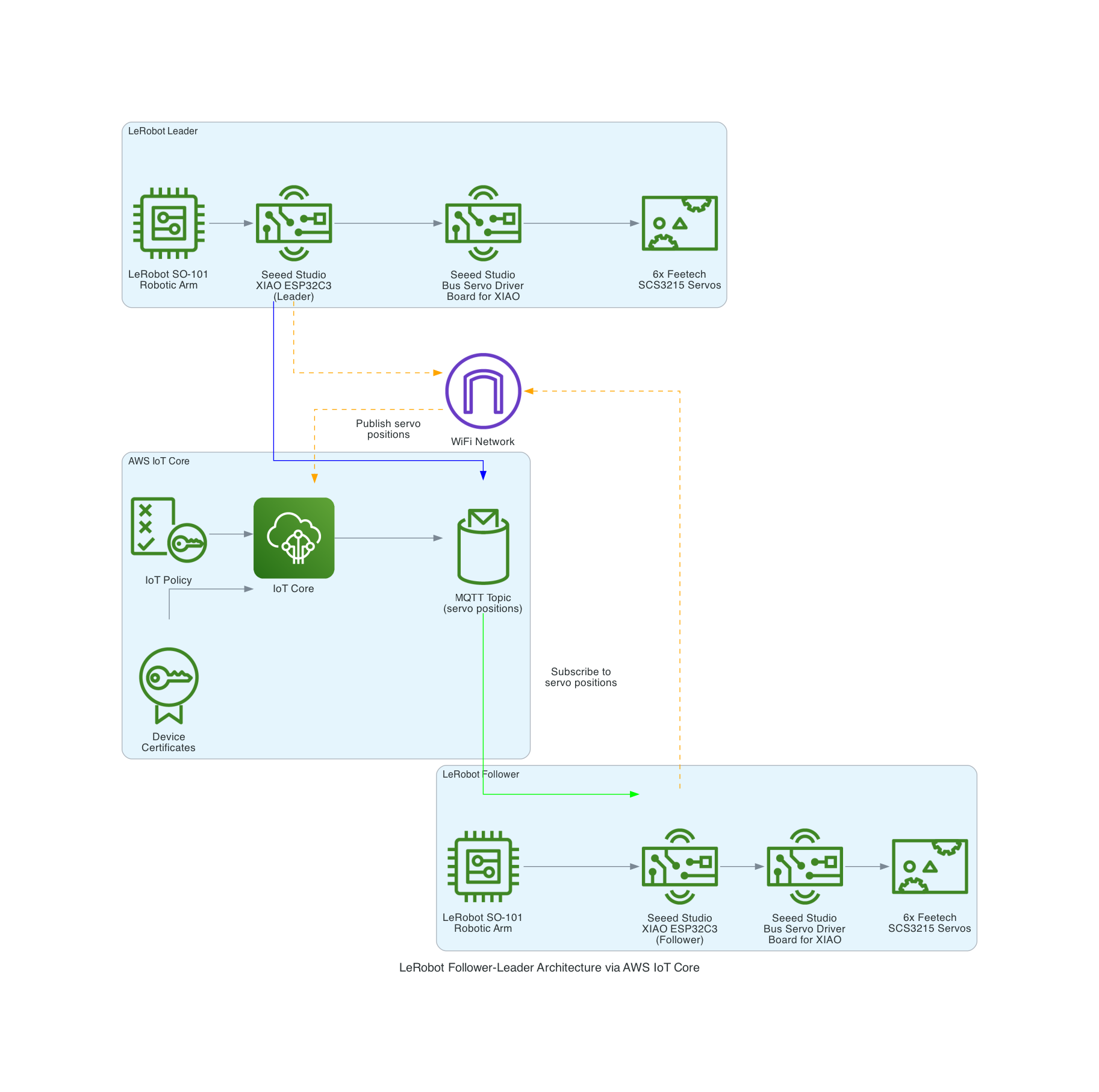
LeRobot Architecture

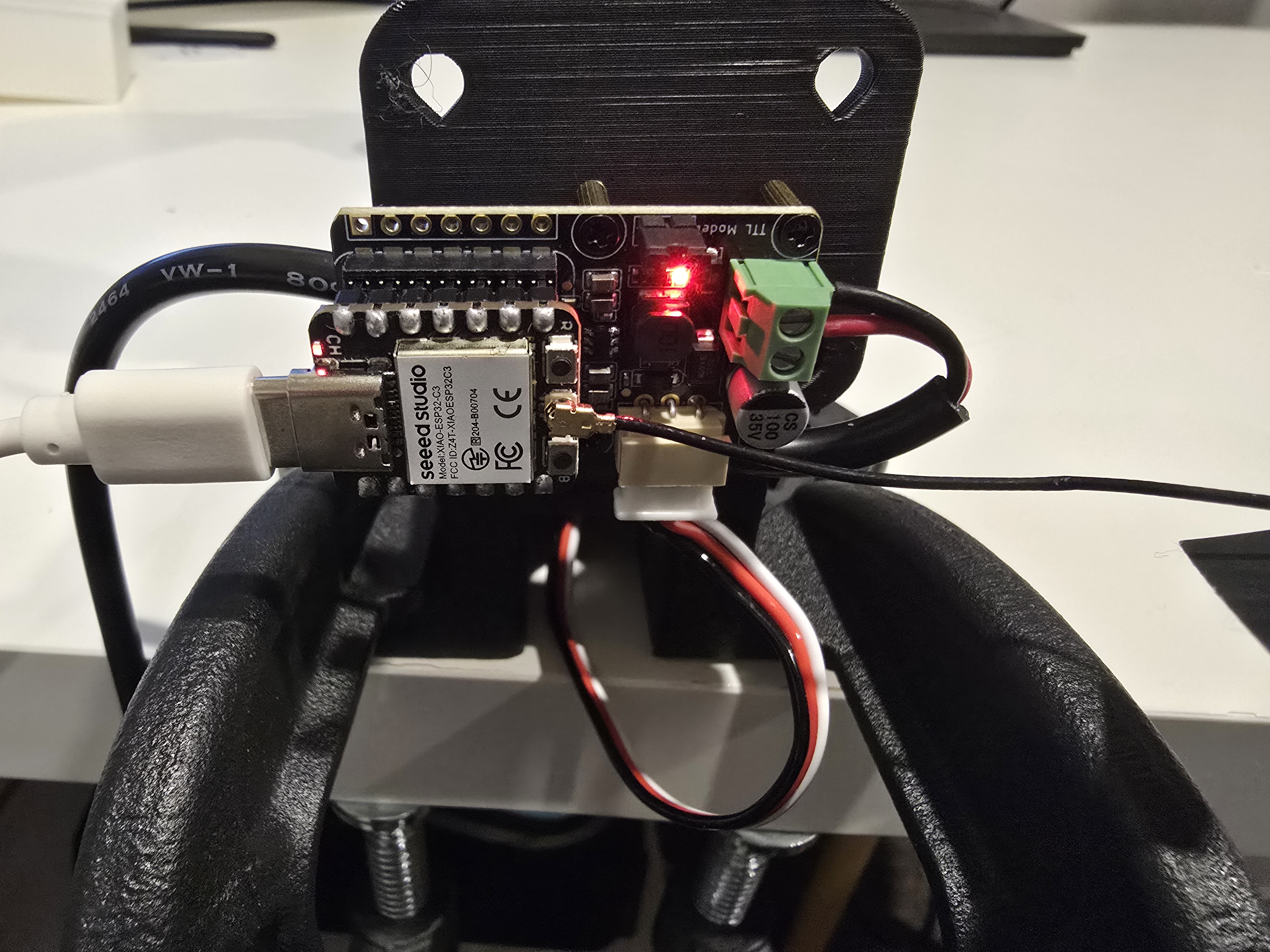
Seeed Studio XIAO ESP32C3 and Bus Servo Driver Board

The LeRobot Follower arm is subscribed to an IoT Topic that is being published in real-time by the LeRobot Leader arm over AWS IoT Core, using a Seeed Studio XIAO ESP32C3 integrated with a Seeed Studio Bus Servo Driver Board, the driver board is controlling the 6 Feetech 3215 Servos over the UART protocol.

In this video I demonstrate how to control a set of Hugging Face SO-101 arms over AWS IoT Core, without the use of the LeRobot framework, nor using a device such as a Mac nor a device like Nvidia Jetson Orin Nano Super Developer Kit. Only using Seeed Studio XIAO ESP32C3 and AWS IoT.

You can find the source code for this solution here: https://github.com/chiwaichan/aws-iot-core-lerobot-so101

AWS IoT Core – Iron Man – Part 1

· One min read
Chiwai Chan
Tinkerer

Rockit Apple payslip Analyzer with GenAI Chatbot using Bedrock and Streamlit

· 5 min read
Chiwai Chan
Tinkerer

It's the time of year where I normally have to start doing taxes, not for myself but for my parents. Mum works at various fruit picking / packing places in Hawkes Bay throughout the year, so that means there are all sorts of Payslips from different employers for the last financial year. Occasionally mum would ask me specific details about her weekly payslips, and that usually means: download a PDF from and email -> open up the PDF -> find what's she asking for -> look at the PDF -> can't find it so ask what mum meant -> find the answer -> explain it to her.

Solution & Goal

The usual format,challenge: create a Generative AI conversational chat to enable mum to ask in her natural language specific details of,

And the goal: outsource the work to AI = more time to play. :-)

Success Criterias

  • Automatically extract details from Payslips - I've only tested it on Payslips from Rockit Apple.
  • Enable end-user to ask in Cantonese details of a Payslip
  • Retrieve data from an Athena Table where the
  • Create a Chatbot to receive question in Cantonese around the user's Payslips stored in the Athena Table, and generate a response back to the user in Cantonese

So what's the Architecture?
Architecture

Note

I've only tried it for Payslips generated by this employer: Rockit Apple

Deploy it for yourself to try out

Prerequisites

  • Python 3.12 installed - the only version I've validated
  • Pip installed
  • Node.js and npm Installed
  • CDK installed - using npm install -g aws-cdk
  • AWS CLI Profile configured

Deployment CLI Commands

  • Open up a terminal
  • And run the following commands
git clone git@github.com:chiwaichan/rockitapple-payslip-analyzer-with-genai-chatbot-using-bedrock-streamlit.git 
cd rockitapple-payslip-analyzer-with-genai-chatbot-using-bedrock-streamlit
python3 -m venv venv
source venv/bin/activate
pip install -r requirements.txt
cdk deploy

If all goes well

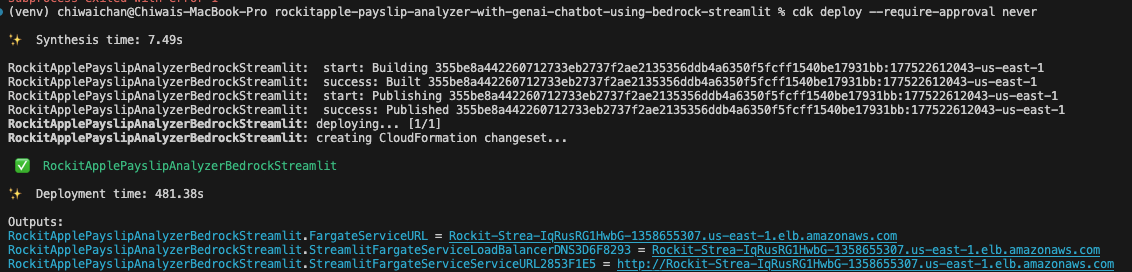
You should see this as a result of calling the cdk deploy command
CDK Deploy

Check that the CloudFormation Stack is being created in the AWS Console
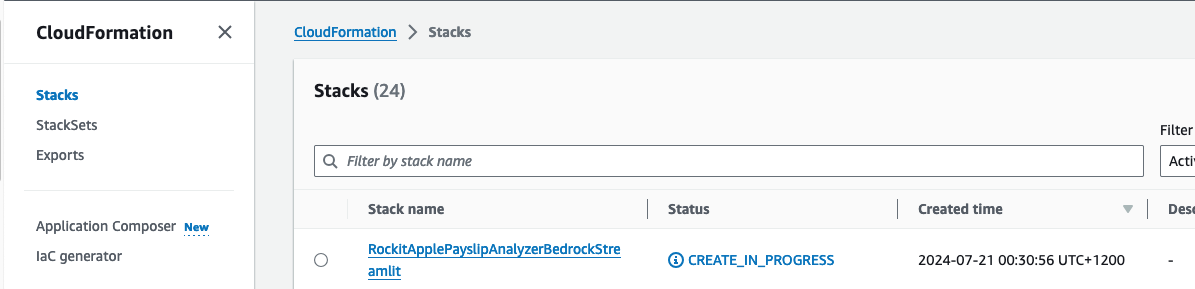
CloudFormation Create

Click on it to see the Events, Resources and Output for the Stack
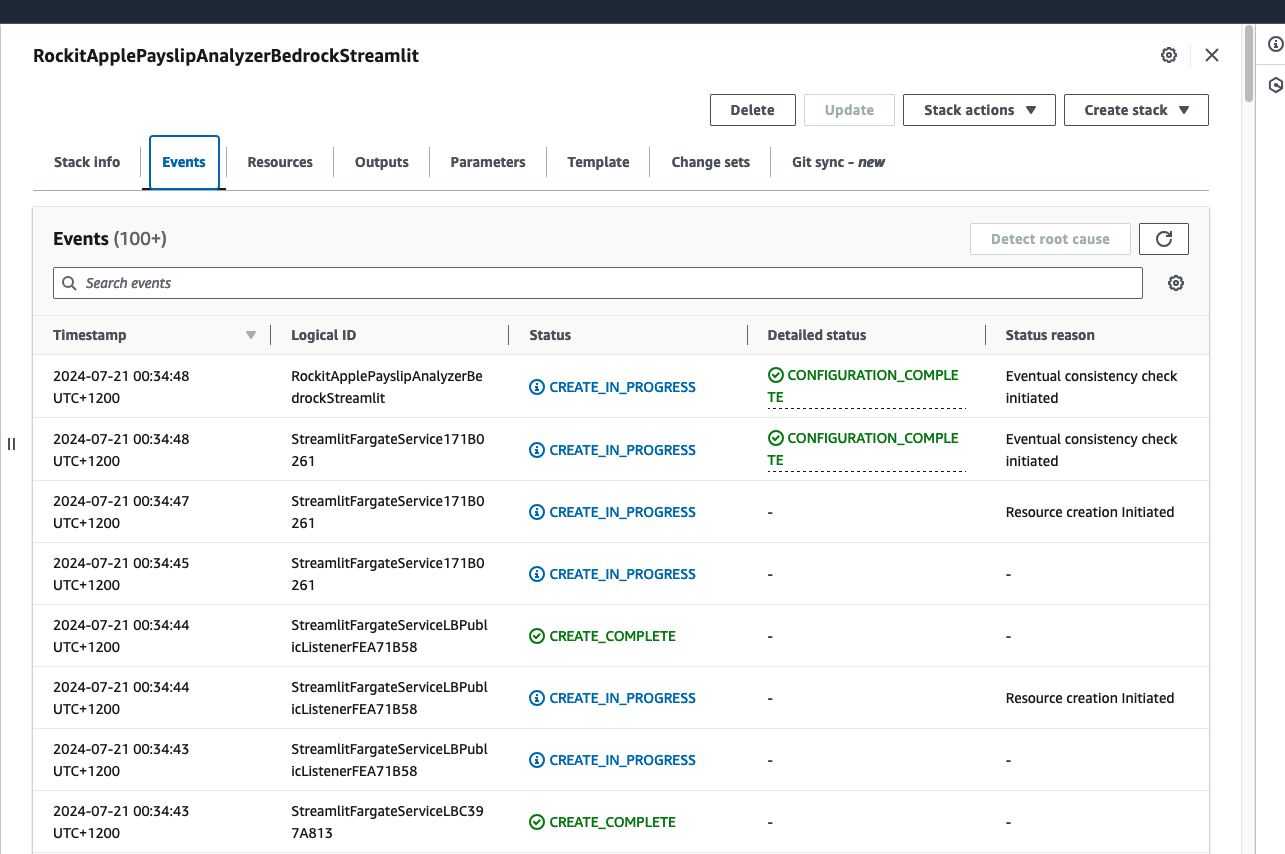
CloudFormation Create Events

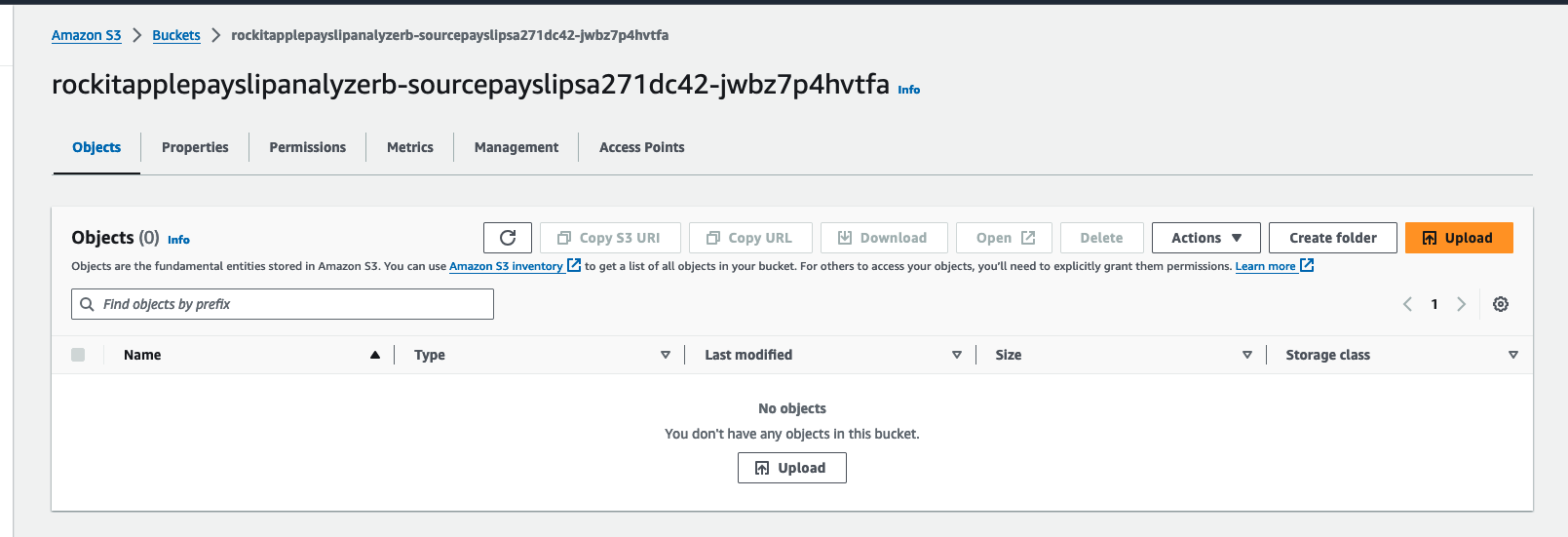
Find the link to the S3 Bucket to upload Payslip PDFs into, in the Stack's Resources, find the S3 Bucket with a with a Logical ID that starts with "sourcepayslips" and click on its Physical ID link.
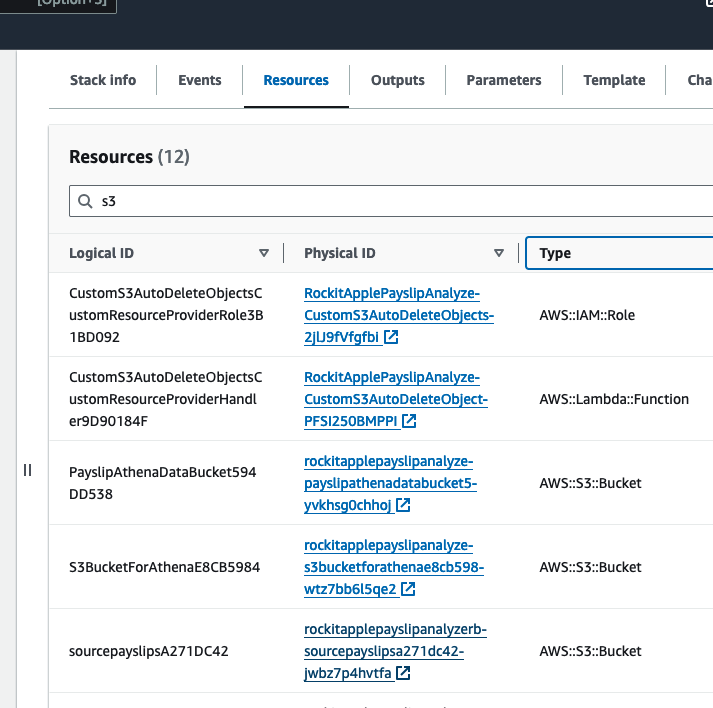
S3 Buckets

Upload your PDF Payslips into here S3 Source Payslip PDFs

Find the link to the S3 Bucket where the extracted Data will be stored into for the Athena Table, in the Stack's Resources, find the S3 Bucket with a with a Logical ID that starts with "PayslipAthenaDataBucket" and click on its Physical ID link.

CloudFormation S3 Buckets

There you can find a JSON file, it should take about a few minutes to appear after you upload the PDF.
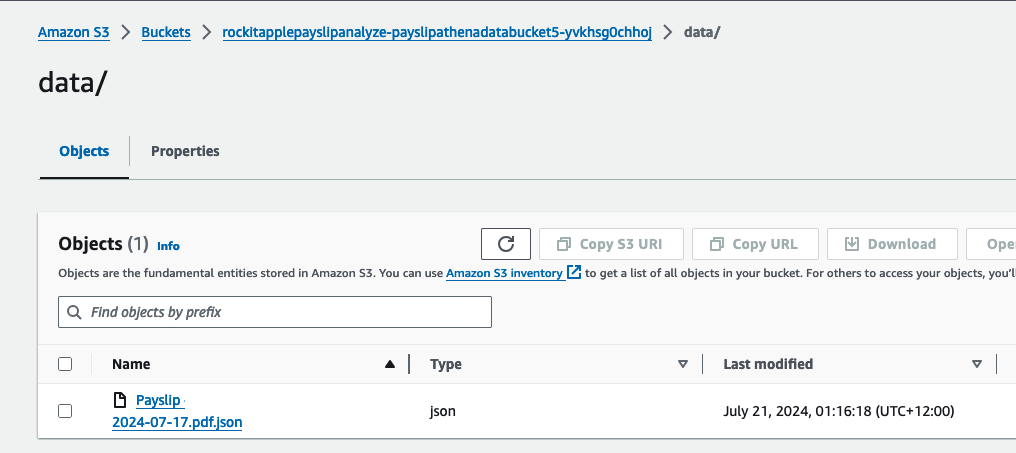
Athena Table JSON file in S3 Bucket

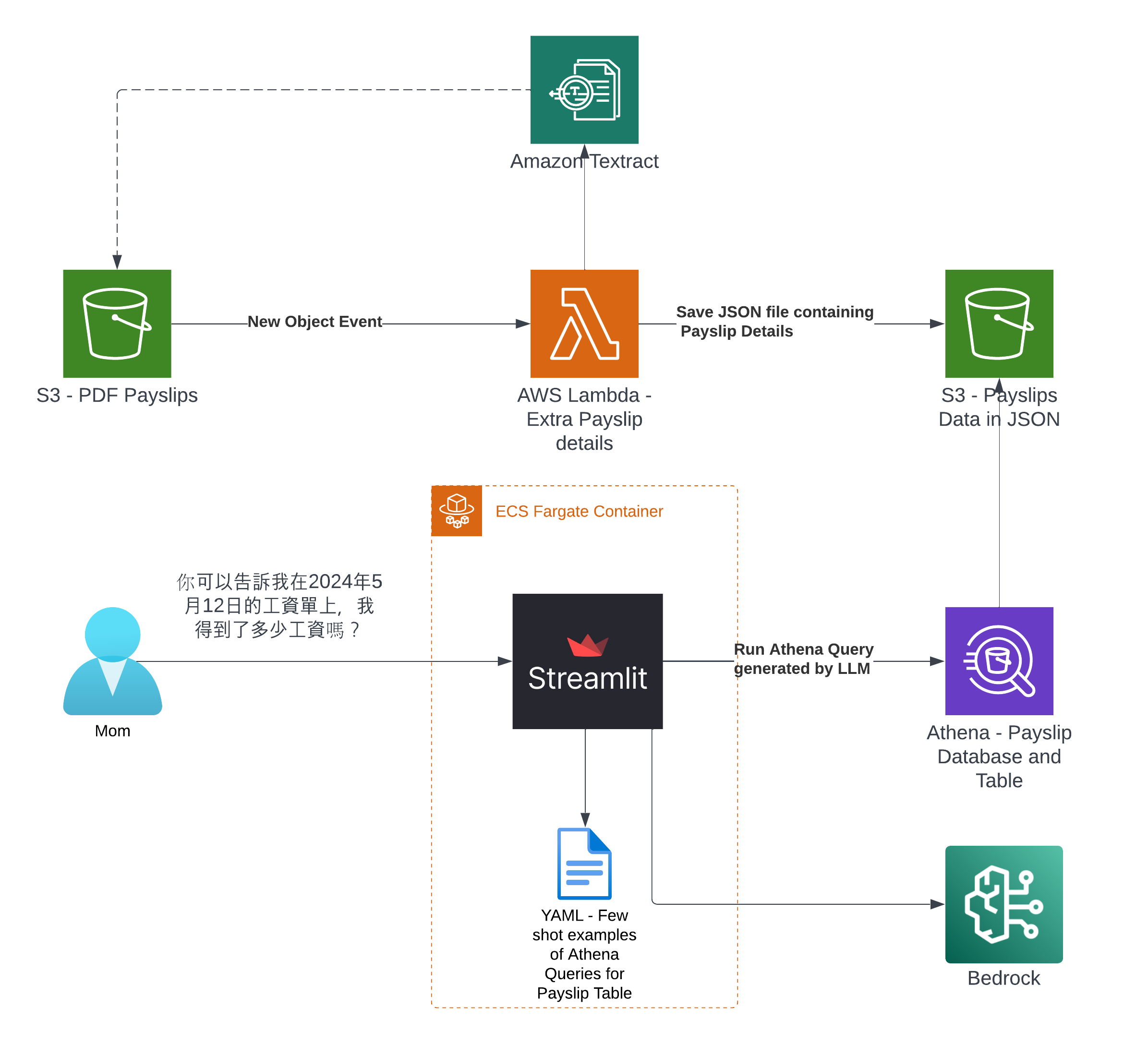
It was created by the Lambda shown in the architecture diagram we saw earlier, it uses Amazon Textract to extract the data from each Paylip using OCR, using the Queries based feature to extract the Text from a PDF by enabling us to use queries in natural language to configure what we want to extract out from a PDF. Find the "app.py" file shown in the folder structure in the screenshot below, you can modify the wording of the Questions the Lambda function uses to extract the details from the Payslip, to suit the specific needs based on the wording of your Payslip; the result of each Question extracted is saved to the Athena table using the column name shown next to the Question.
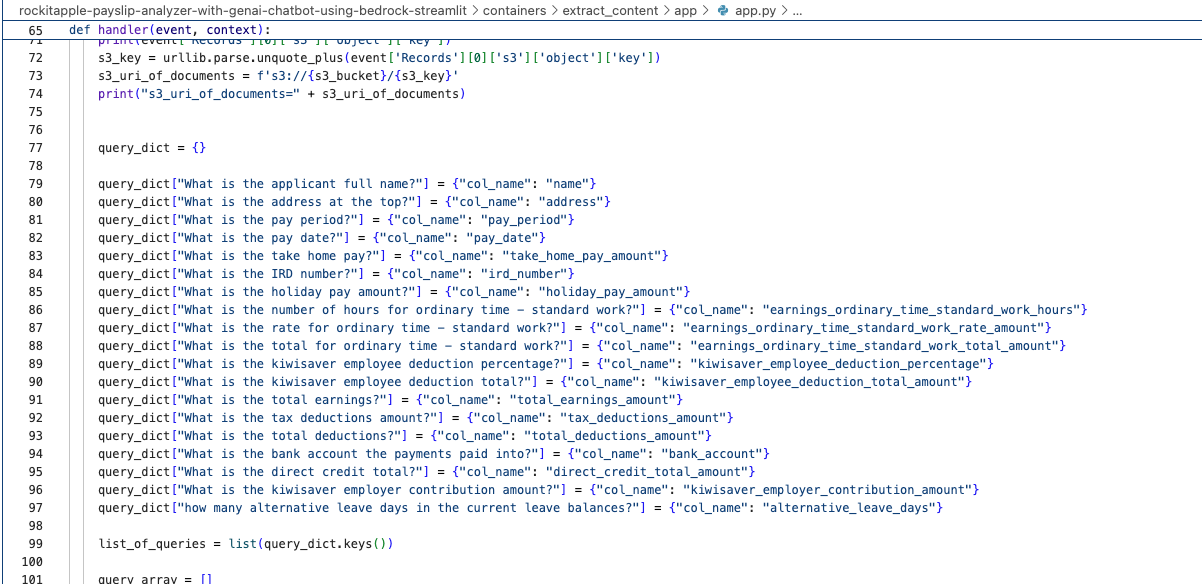
Textract Queries

What it looks like in action

Go to the CloudFormation Stack's Outputs to get the URL to open the Streamlit Application's frontend.

Click the value for the Key "StreamlitFargateServiceServiceURL"
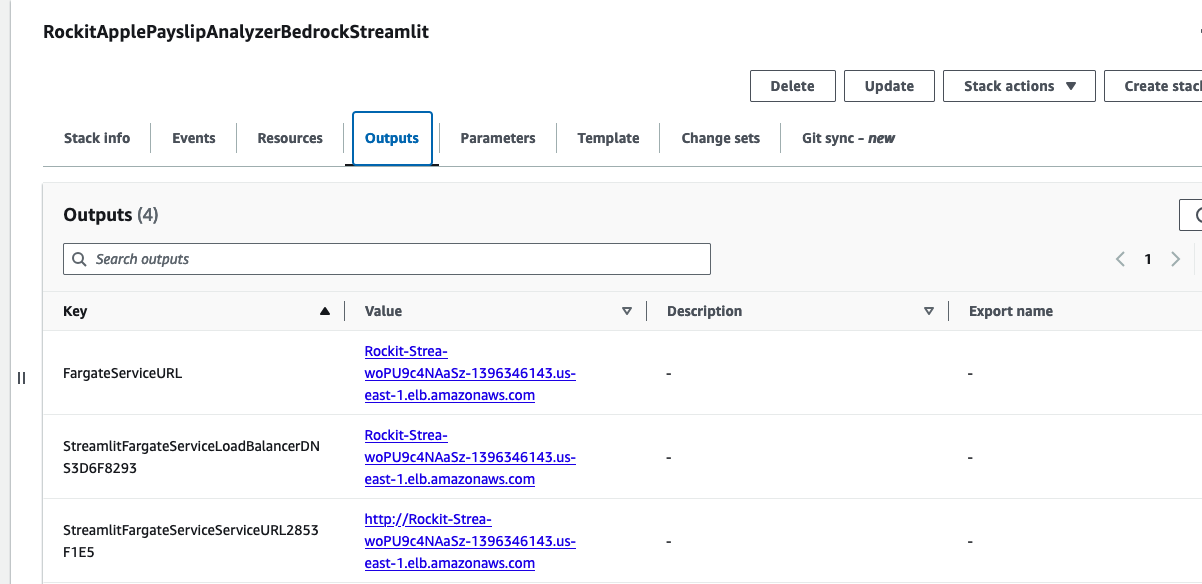
Streamlit URL

That will take you to a Streamlit App hosted in the Fargate Container shown in the architecture diagram
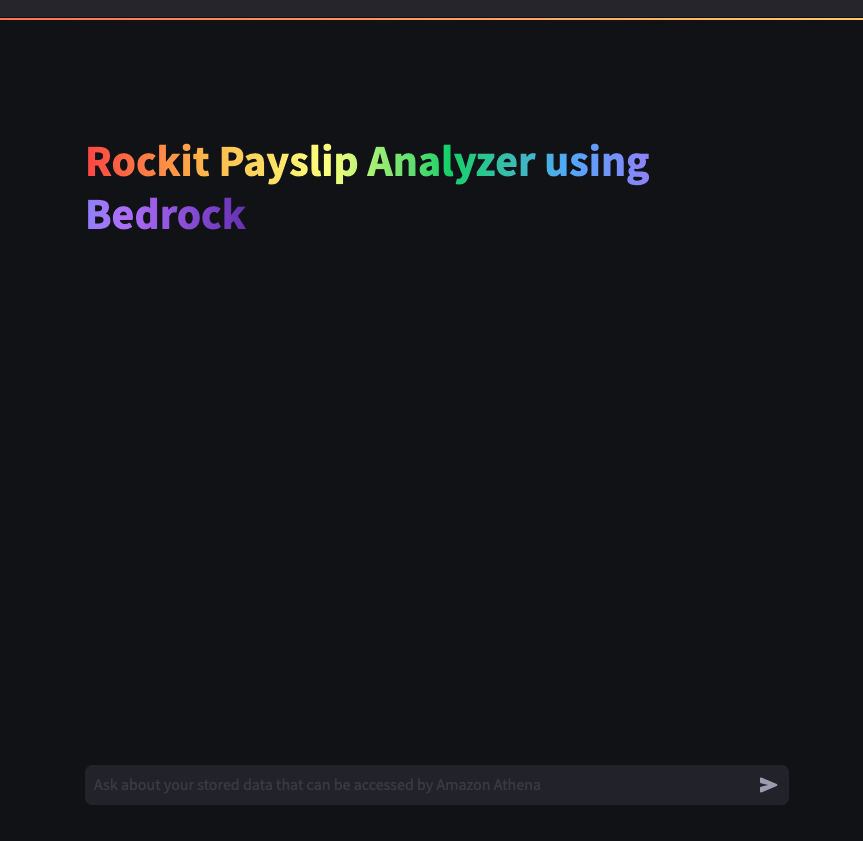
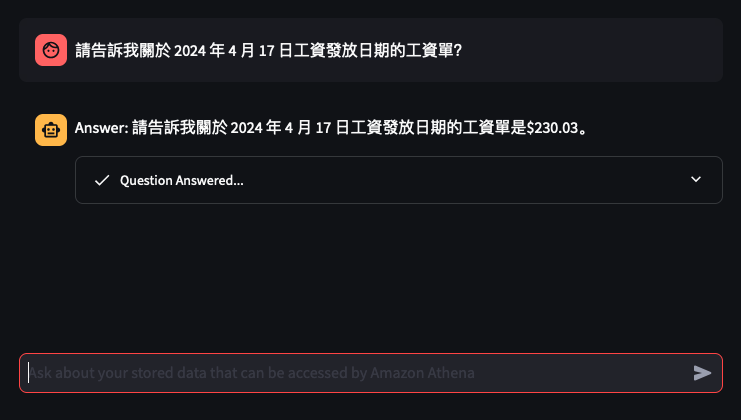
Streamlit App

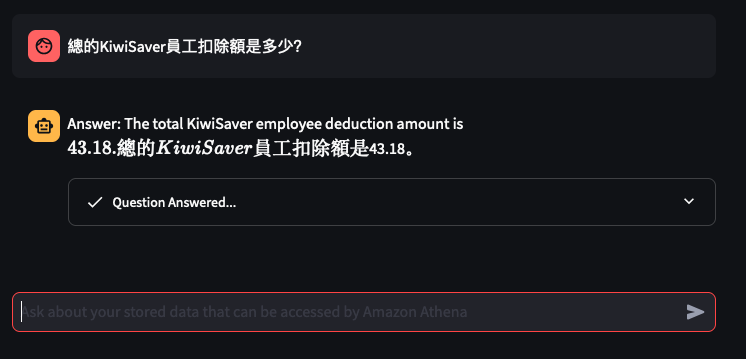
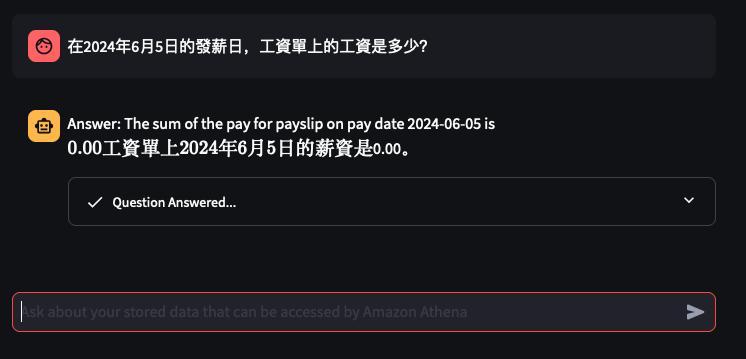
Lets try out some examples

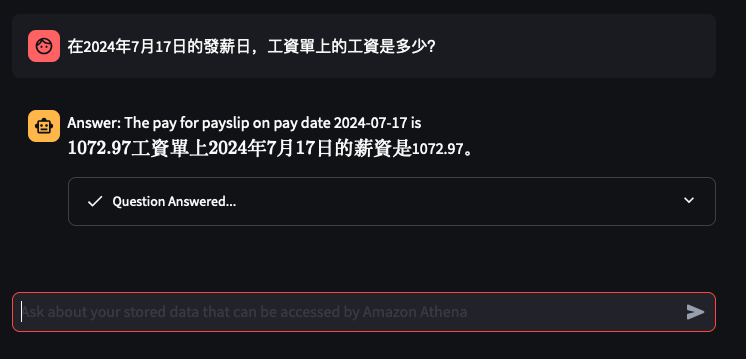
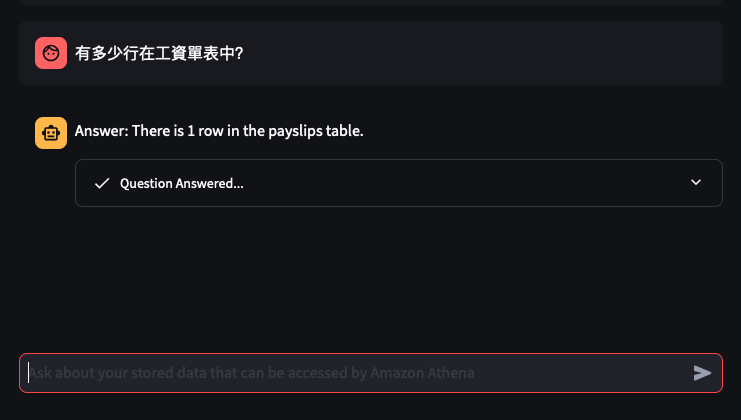
Example 1 Example 2 Example 3 Example 4 1 payslip

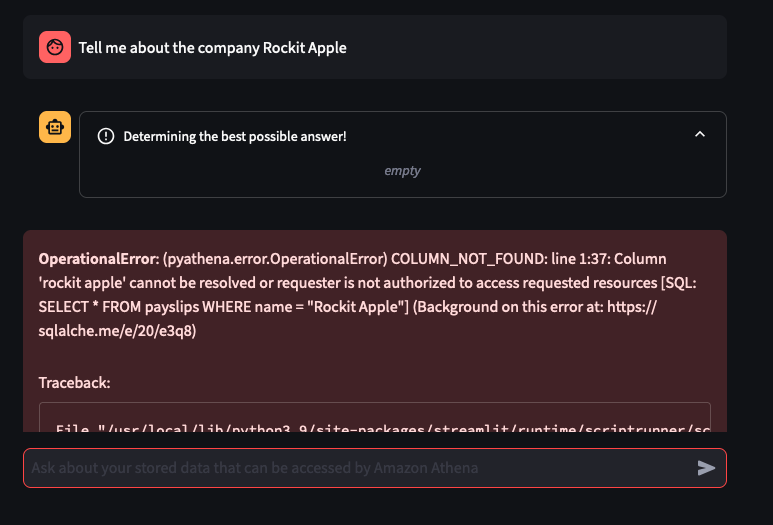
Things don't always go well

Error

You can tweak the Athena Queries generated by the LLM by providing specific examples tailoured to your Athena Table and its column names and values - known as a Few-Shot Learning. Modify this file to tweak the Queries feed into the Few-shot examples used by Bedrock and the Streamlit app.
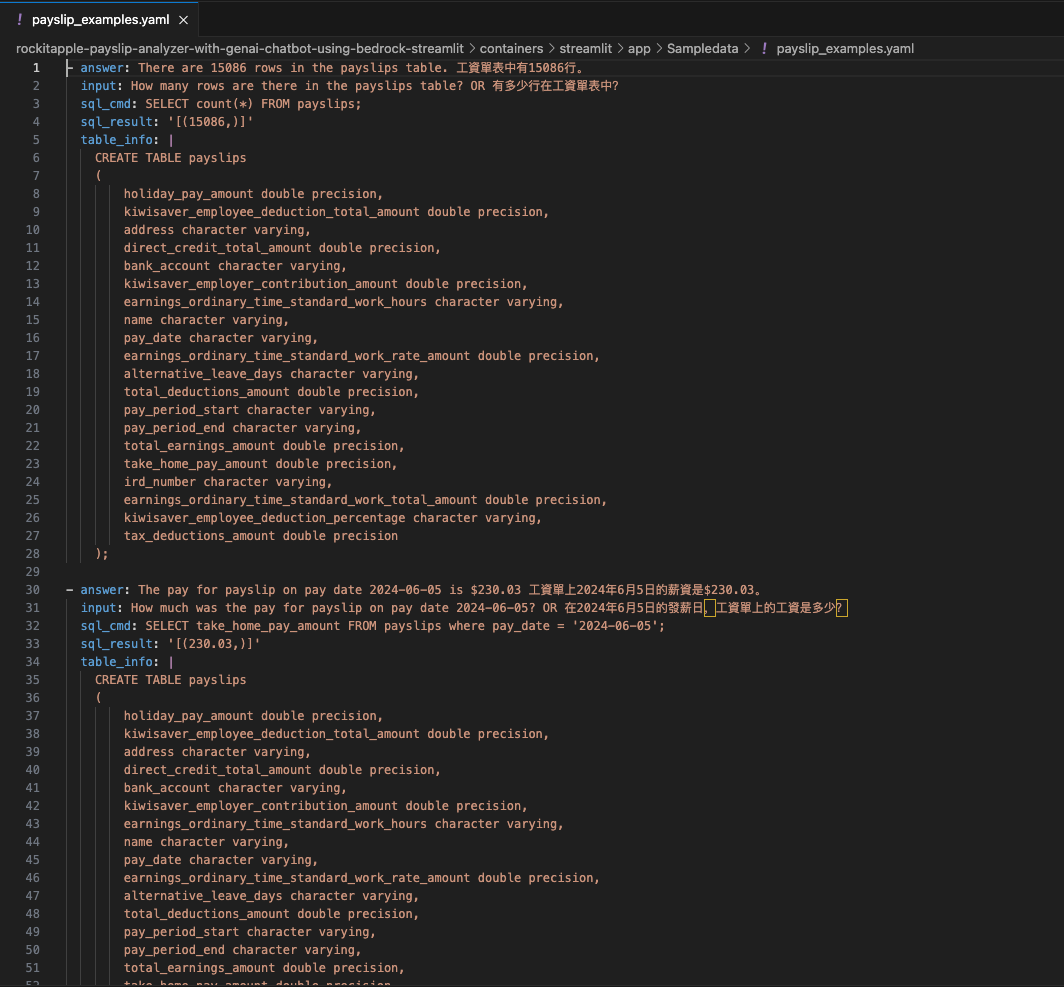
Few Shot Examples

Thanks to this repo

I was able to learn and build my first GenAI app: AWS Samples - genai-quickstart-pocs

I based my app on the example for Athena, I wrapped the Streamlit app into a Fargate Container and added Textract to extract Payslips details from PDFs and this app was the output of that.

Coming soon at a desk near you…

· One min read
Chiwai Chan
Tinkerer

Center

The center could include any of the following ingredients:

  • White peach syrup
  • Roasted walnuts
  • Strawberries
  • Maybe blueberries

Layers

  • 3 to 4 layers

Size

  • Approximately the size of an 8-ball pool table (subject to change as it grows each year).

Gestation Period

  • Started roughly 4 weeks ago.

Serving

  • Freeze first, then wait 20 minutes before enjoying.

Experience

  • Be cautious! It may explode, so be prepared to clean up a mess on your work desk. White peach syrup may be involved.

Ingredients

  • Dried Dates
  • Flaxseeds
  • Coconut Oil
  • Linseeds
  • Fine Sea Salt
  • Maple Syrup
  • Cocoa Powder
  • Hazelnuts (toasted, skins rubbed off, and roughly chopped)
  • Pure Vanilla Essence
  • Extra Cocoa Powder (for dusting)
  • Ground Cinnamon
  • Almonds (divided)
  • Sunflower Seeds
  • Pumpkin Seeds
  • Puffed Rice
  • Low-Sugar Cranberries
  • Maple Syrup
  • Almond Butter
  • Almond Milk
  • Salt
  • Vegan Dark Chocolate

FeedMyFurBabies – Storing Historical AWS IoT Core MQTT State data in Amazon Timestream

· 3 min read
Chiwai Chan
Tinkerer

In my code examples I shared in the past, when I sent and received IoT messages and states to and from AWS Core IoT Topics, I only implemented subscribers to react to perform a functionality when an MQTT message is received on a Topic; while that it was useful when my FurBaby was feed in the case when the Cat Feeder was triggered to drop Temptations into the bowls, however, we did not keep a record of the feeds or the State of the Cat Feeder into some form of data store over time - this meant we did not track when or how many times food was dropped into a bowl.

In this blog, I will demonstrate how to store the data in the MQTT messages sent to AWS IoT Core and ingest the data into Amazon Timestream database; Timestream is a serverless time-series database that is fully managed so we can leverage with worrying about maintaining the database infrastructure.

Architecture

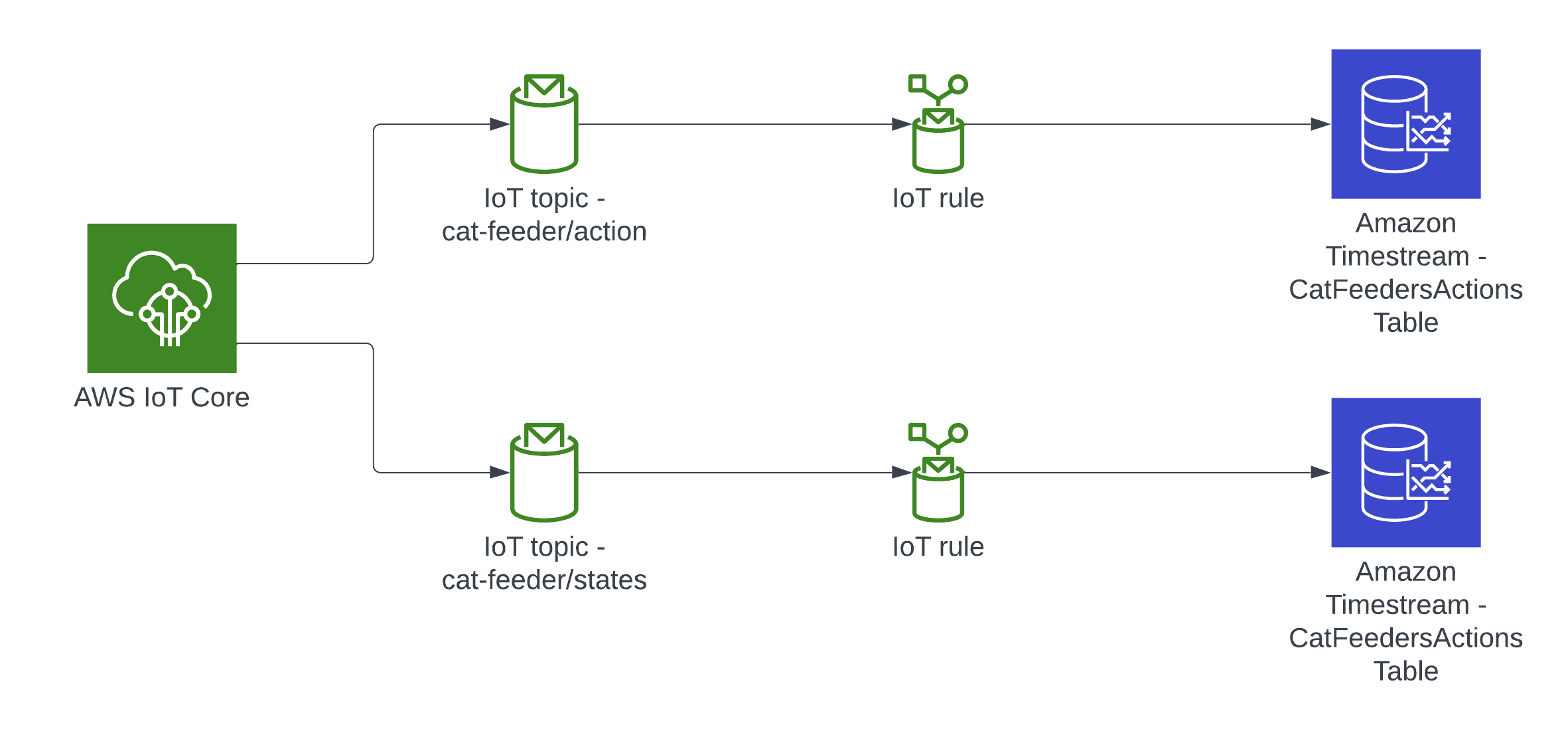
Architecture

In this architecture we have two AWS IoT Core Topics, where each IoT Topic has an IoT Rule associated with it that will send all the data from every MQTT message receieved from that Topic - there is an ability to filter the messages but we've not using to use it, and that data is ingested into a corresponding Amazon Timestream table.

Deploying the reference architecture

git clone git@github.com:chiwaichan/feedmyfurbabies-cdk-iot-timestream.git
cd feedmyfurbabies-cdk-iot-timestream
cdk deploy

git remote rm origin
git remote add origin https://git-codecommit.us-east-1.amazonaws.com/v1/repos/feedmyfurbabies-cdk-iot-timestream-FeedMyFurBabiesCodeCommitRepo
git push --set-upstream origin main

Here is a link to my GitHub repository where this reference architecture is hosted: https://github.com/chiwaichan/feedmyfurbabies-cdk-iot-timestream

Simulate an IoT Thing to Publish MQTT Messages to IoT Core Topic

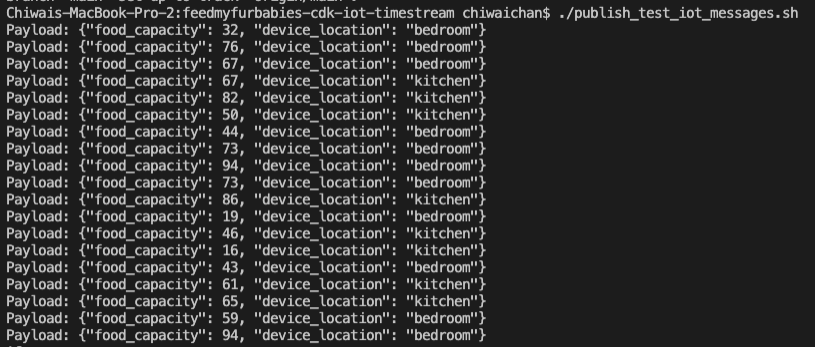
In the root directory of the repository is a script that simulates an IoT Thing and it will constantly publish MQTT messages to the "cat-feeder/states" Topic; ensure you have the AWS CLI installed on your machine with a default profile as it relies on it, and ensure the Access Keys used by the default profile has the permission to call "iot:Publish".

It sends a random number for the "food_capacity" that ranges 0-100 to represent the percentage of food that is remaining in a cat feeder, and a values for the "device_location" as we are scaling out with the number of cat feeders placed around the house. Be sure to send the same JSON structure in your MQTT message if you decide to not use the provided script to send the messages to the Topic.

publish mqtt messages script

Query the data stored in the Amazon Timestream Database/Table

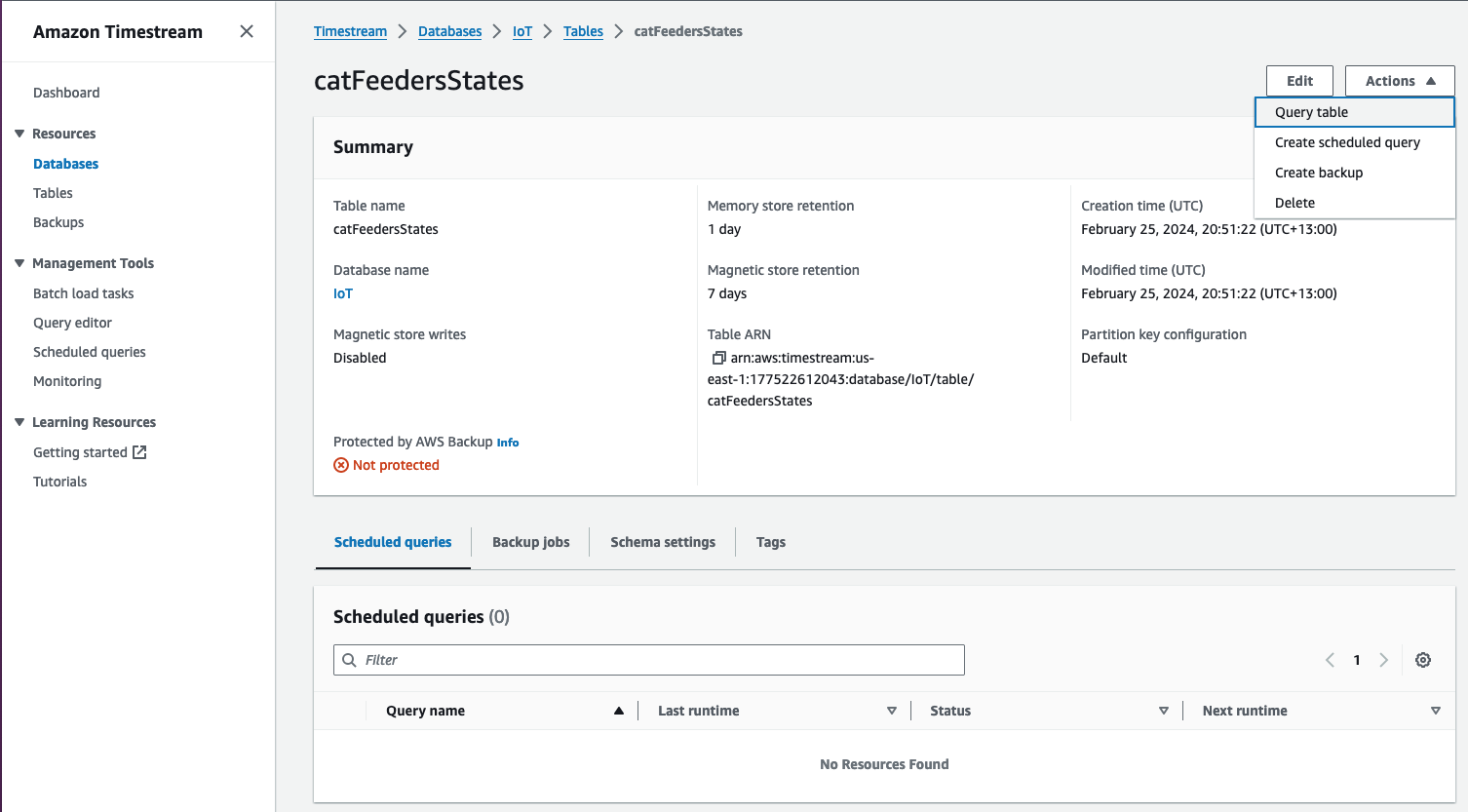
Now lets jump into the AWS Console, then jump into the Timestream Service and go into the "catFeedersStates" Table; then click on "Actions" to show the "Query table" option to go to the Query editor.

timestream table

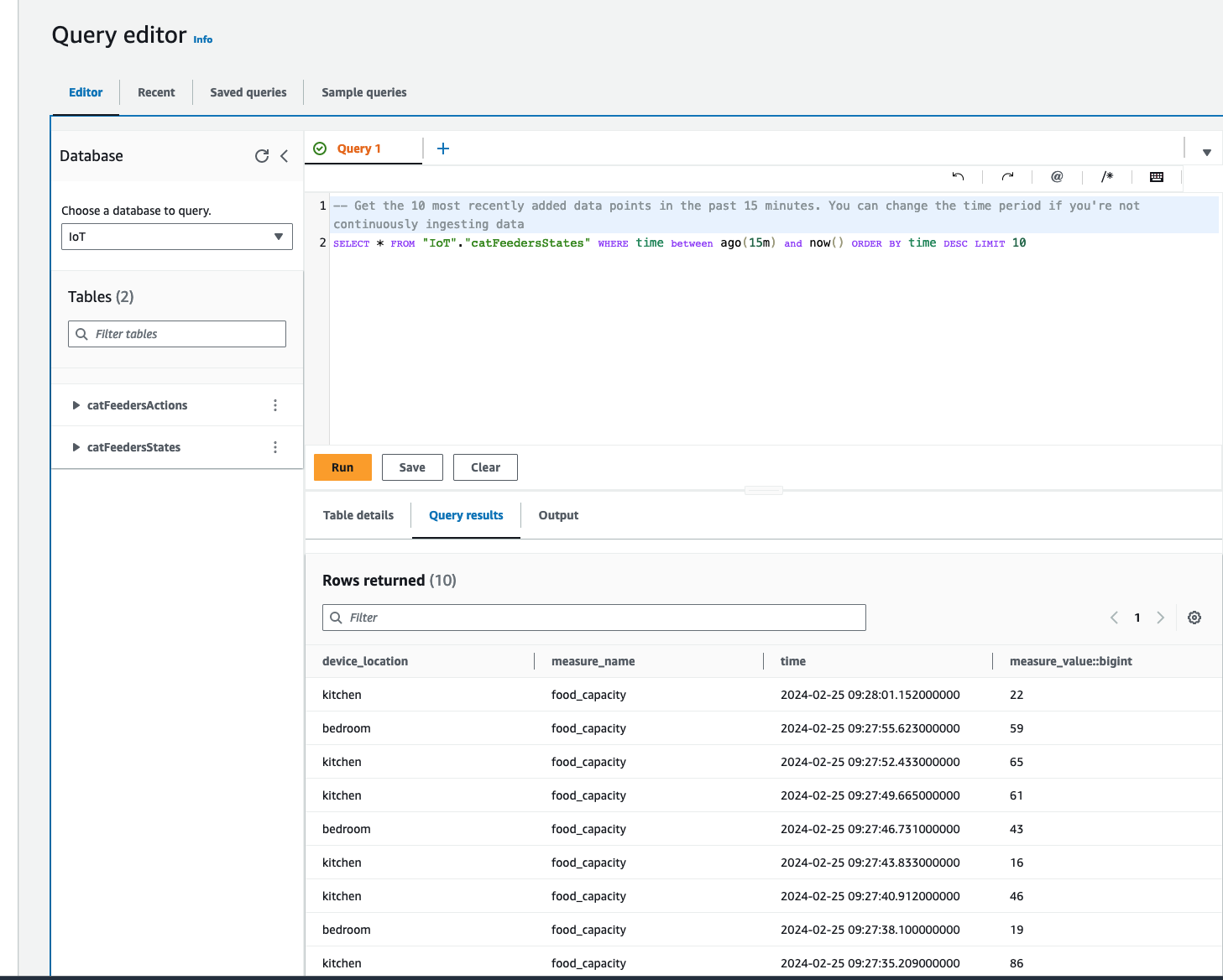
The Query editor will show a default query statement, click "Run" and you will see in the Query results the data from the MQTT messages that was generated by the script; where the MQTT messages was ingested from the IoT Topic "cat-feeder/states".

timestream table query